v0.55April 27, 2026

image

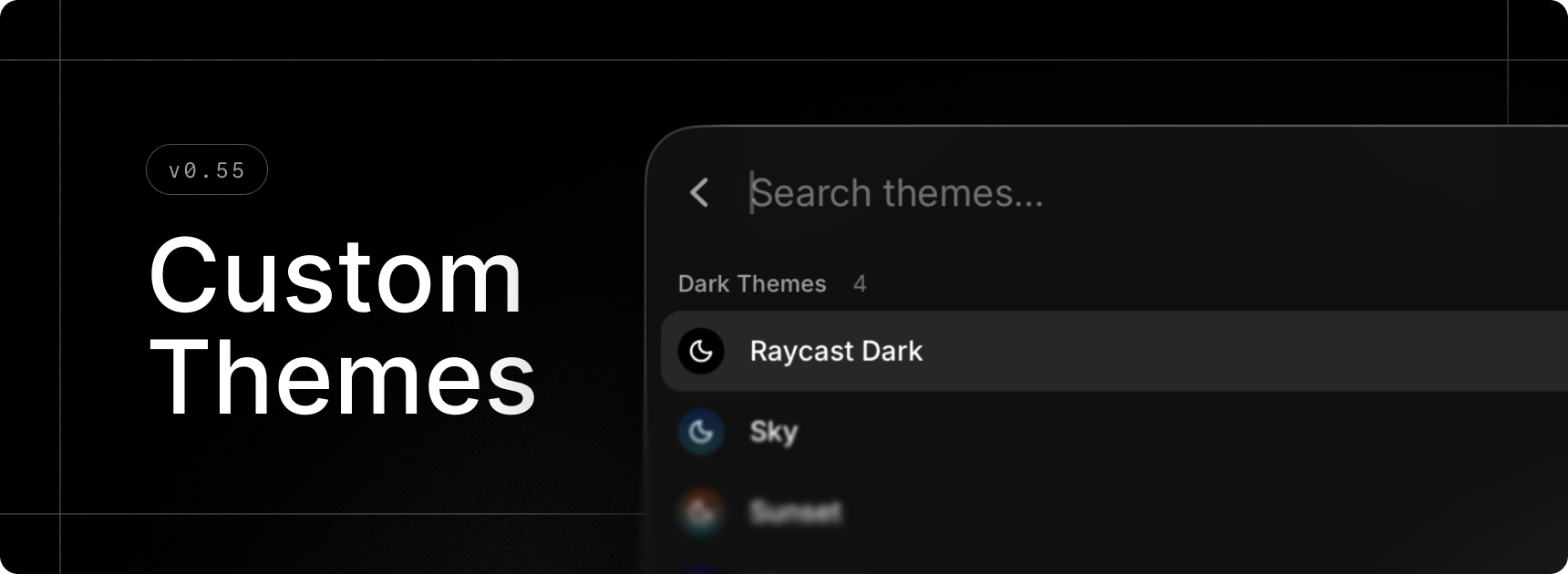
Make Raycast your own with gorgeous themes. Opt for a pre-made one or design your own with the brand-new Theme Studio and share it with the community.

Select your favorite light/dark theme combo in settings with our updated settings in General › Appearance, or quickly change theme using the new Switch Theme command.

This feature is part of our paid offering but during the Beta period, we’re excited to offer you full access for free.

✨ New

  • Theme Studio: Preview, create and edit themes to make Raycast your own using our new Show Theme Studio command
  • Theme Studio: Swiftly change your current theme using our new Switch Theme command
  • Emoji Picker: New emojis introduced in macOS 26.4 are available in the Search Emojis & Symbols command
  • Settings: Updated theme settings under General › Appearance
  • Window Management: Create custom window layouts via the Create Layout command
  • Window Management: New Switch to Next Space and Switch to Previous Space commands to change Space without animations
  • Drafts: Form drafts are now available so you should no longer lose state when using commands such as Create Quicklink etc

💎 Improvements

  • AI: Raycast is now able to handle large amounts of AI data better in various places like Quick AI, AI Chat and AI Settings
  • AI: Restructured AI Settings by moving sections into sub-pages
  • AI Chat: Made it possible to tab through elements in sidebars
  • Import: Fallback commands should now be included when importing from Classic.
  • Search Menu Bar Items: Added fuzzy search to find menu items faster
  • Clipboard History: Save as File now supports images
  • Applications: In the main Raycast search and in Settings, applications now appear with their localized names
  • Hyper Key: Support for the “Use Caps Lock to switch input sources” system setting. If you have Hyper Key set to “Caps Lock” and Quick Press to “Trigger Caps Lock”, pressing Caps Lock quickly will switch input sources if you have the system setting mentioned above enabled.
  • Hyper Key Diagnostics: Diagnostics are now visible even when Hyper Key is healthy, and BetterTouchTool conflict is shown as a warning (not blocking)

🐞 Fixes

  • AI: Models are now refreshed after sign-in
  • AI Chat: Fixed Copy Chat action not including full chat history sometimes
  • AI Chat: Fixed number hotkeys in chat not working when composer is focused
  • AI Chat: Fixed composer scroll-jumping on clicks or edits sometimes
  • AI Chat: Fixed Escape key closing AI Chat instead of settings
  • AI Chat: Fixed AI Chat window not becoming key when Settings is already open
  • Calculator: Fixed an issue where some operators were misaligned
  • Extensions: Restored ability to delete tokens by clicking × in tag picker
  • General: Fixed issue where some fade would still be visible when scrolled to the bottom of a scrollarea
  • Import: Fixed an issue where Store extension settings were not imported correctly
  • Import: Fixed various errors when importing Clipboard History, Node Extensions and Themes
  • Import: Fixed discovery of Classic app when Spotlight is disabled
  • Import: Fixed native import for hotkeys
  • Import: Fixed incorrect mapping of Dictate Text hotkey to Quick AI
  • Import: Fixed import of custom Window Management command settings
  • Import: Fixed import of built-in AI Command settings
  • Notes: Fixed text obstructed by header when moving the keyboard cursor to the top
  • Notes: Fixed ordered list’s numbers breaking out
  • Open Camera: Fixed an issue where liquid glass action buttons would stay stuck in light/dark mode
  • Quick AI: Fixed first historical chat not being scrolled to bottom
  • Quicklinks: Shared Quicklink hotkeys and aliases should no longer be reset when the app starts
  • Root Search: Fixed an issue where nothing was selected after restart
  • Settings: Fixed an issue where pressing Enter wouldn’t create new line in text areas inside dialogs
  • Themes: Fixed an issue where the client would occasionally use a dark theme with light appearance
  • Settings: Fixed Send Feedback action
  • Export: Fixed a crash when setting the scheduled export period to 1 month
  • Export: Fixed handling of rayconfig files opened from the Finder
  • Clipboard History: Fixed missing image thumbnails
v0.54April 15, 2026

image

✨ New

  • AI: GPT-5.4 Mini for free during the Raycast Beta

💎 Improvements

  • General: Improve keyboard handling for IME (Input Method Editor) commonly used for non-latin languages (Chinese, Japanese, Korean, etc)

🐞 Fixes

  • File Search: Network and removable drive entries should no longer be lost on startup
  • File Search: Exclusion patterns in Settings and ignore files should now handle case-sensitivity correctly
  • File Search: Indexing the filesystem root (/) is now allowed (but not recommended)
  • Open With: Fix duplicate applications entries in the selection menu
  • Window Management: Fix Window Management commands occasionally failing for Raycast windows
  • Auto Update: Fix disk image not being unmounted properly after a successful update
  • Migration: Added missing settings for Start Typing Practice and Calculator History commands
  • Migration: Added a fallback for Raycast v1 discovery if Spotlight is disabled
  • Quicklinks: Hotkeys should no longer reset at startup for shared Quicklinks
v0.53April 10, 2026

image

💎 Improvements

  • Quick AI and AI Chat: Improved loading speed for large amounts of chats and chats with lots of messages
  • Quick AI and AI Chat: Reduced memory consumption when having lots of AI chats
  • What’s New: Added a setting to the Changelog command to disable “What’s new?” items in the root search
  • Hyper Key: Added better diagnostics for conflicting applications detection.
  • Keyboard Settings: Added “Escape Key Closes Window” in Keyboard settings.
  • Advanced Settings: Added “Window Activation Behavior” to select whether window move to the active space or the user is moved to the window space.
  • Raycast Notes: Added “Show Notes Toggle in Menu Bar” and “Escape Key Loses Focus” settings.
  • Root Search: Enable drag & drop for Applications

🐞 Fixes

  • Clipboard History: Fix mislabeled Universal Clipboard source.
  • Quick AI: Fixed Quick AI command not being available
  • Settings Import/Export: Prevent timeout for large exports/imports.
  • Snippets: Improved snippet injection within Raycast
  • Windows: Fix floating windows not opening on top of full-screen applications
  • My Schedule: Meetings should now be opened in the native application if available (Zoom, Teams, Slack huddles…).
  • Hyper Key: Improve diagnostics and keyboard reconnection handling
  • Emoji Picker: Fix duplicated info emoji
  • Clipboard History: Improved pasting reliability for some applications (cmux)
v0.52April 3, 2026

image

💎 Improvements

  • Confetti: You can now disable holiday confetti in settings
  • Calendar: Open meeting urls directly in the associated app if available
  • Contacts: Cleaned-up UI
  • General: Toast is now automatically expandable (toast action panel) when overflowing
  • Quicklinks: Added Edit, Duplicate, Disable, Delete actions in settings
  • Quicklinks: Tidied up filters
  • Root Search: Added support for What’s New item in compact mode
  • Settings: Cleaned-up Appearance / Theming settings
  • Snippets: Tidied up filters

🐞 Fixes

  • Calendar: Improve auto-join scheduler reliability during sleep/wake cycles
  • Clipboard History: Fixed an issue where copying from MS Word wouldn’t create new entries
  • General: Fixed list hover flickering issue on Tahoe 26.4
  • Importer: Fixed Clipboard History import for users with >20k records
  • Importer: Fixed timeouts during long imports
  • Importer: Avoid mapping hotkey characters to the number pad
  • Quicklinks: Fixed icons for links using custom app protocols
  • Settings: Fixed certificate file picker busting out UI in Advanced Settings
  • Window Management: Fixed Custom Command form layout issues
v0.51March 27, 2026

image

The new Raycast is here! 🎉 

This next version is not only a UI refresh but a brand new revamped application. With this new app we have sweat the details, so really we hope you love the new experience as much as we do.

You can expect to see many new features and improvements across the app. This list aims to capture them all but we likely have missed some improvements here and there. We are not quite at 100% feature parity yet, but the remaining features will be released to you over the coming weeks.

Enjoy! ❤️

✨ What’s New

  • General: A new refreshed look and feel across the app. Redesigned for Tahoe.
  • General: A new, simplified compact mode design
  • General: Symlinks of Applications are now visible in Root Search
  • Shortcuts: A new and improved hotkey recorder
  • Shortcuts: Assign hotkeys and aliases directly from the action panel in Root Search
  • Quick AI: Redesigned to match AI Chat and with a more powerful composer
  • AI Chat: Presets are now called Agents and are reused. If you change the configuration of an agent, the new configuration now applies to all chats using the agent
  • AI Chat: Added memory to make chats more personal
  • AI Chat: Skills installed on the computer are now supported and load in dynamically
  • AI Chat: Chats can be auto-archived after a set period of time
  • AI Chat: Danger mode which bypasses all confirmation prompts
  • AI Chat: /-commands to quickly change chat settings like selecting a model
  • File Search: Using a new indexing engine for faster search results and more filtering options
  • File Search: Files and directories can now be found in Root Search
  • Snippets: Added support for tagging
  • Quicklinks: Added support for tagging
  • Quicklinks: Added support for pinning
  • Dynamic Placeholders: Added a new{calculator} dynamic placeholder. Available in Snippets, Quicklinks and AI Commands.
  • Calculator: Added syntax highlighting
  • Calculator: Inline translation with in suffix
  • Clipboard: We can now save (and can restore) all original representations copied
  • Clipboard: Added ability to rename clipboard entries
  • Clipboard: Clipboard entries with multiple files/content are now grouped together
  • Calendar: Added a new Create Event command
  • Emoji Picker: Multiple grid size options are now available
  • Translator: Default language settings
  • Translator: Create custom commands with predefined language pairs, so you can quickly translate between your most-used languages without selecting them each time.
  • Translator: "Use Selected Text as Source" setting. When enabled, triggering the translator via hotkey automatically fills the source text with your current selection.
  • … and more

🔜  Coming Soon

  • General: Raycast V2 Manual and links throughout the application
  • General: Bigger font size
  • Cloud Sync: Full Cloud Sync solution that will let you sync all of your data across platforms and Raycast versions.
  • Raycast AI: Dictation
  • Raycast AI: AI Extensions
  • Raycast AI: MCP
  • Raycast AI: Send to … AI chat commands
  • Raycast AI: Local Models
  • Teams: Create and Manage Webhook Commands
  • Theming: Theme presets and the ability to create your own themes
  • Window Management: Create Window Management Layout Commands
  • Feature: Raycast Focus
  • Feature: Auto Quit
  • Feature: Inline Emoji Picker
  • Affiliate Program: Become an Affiliate and Open Affiliate Dashboard Commands
  • Referral Program: Share Raycast Command
  • General: Share Feedback Command
  • Calculator: Color picker
  • Calculator: Flight tracker