v0.65June 18, 2026

image

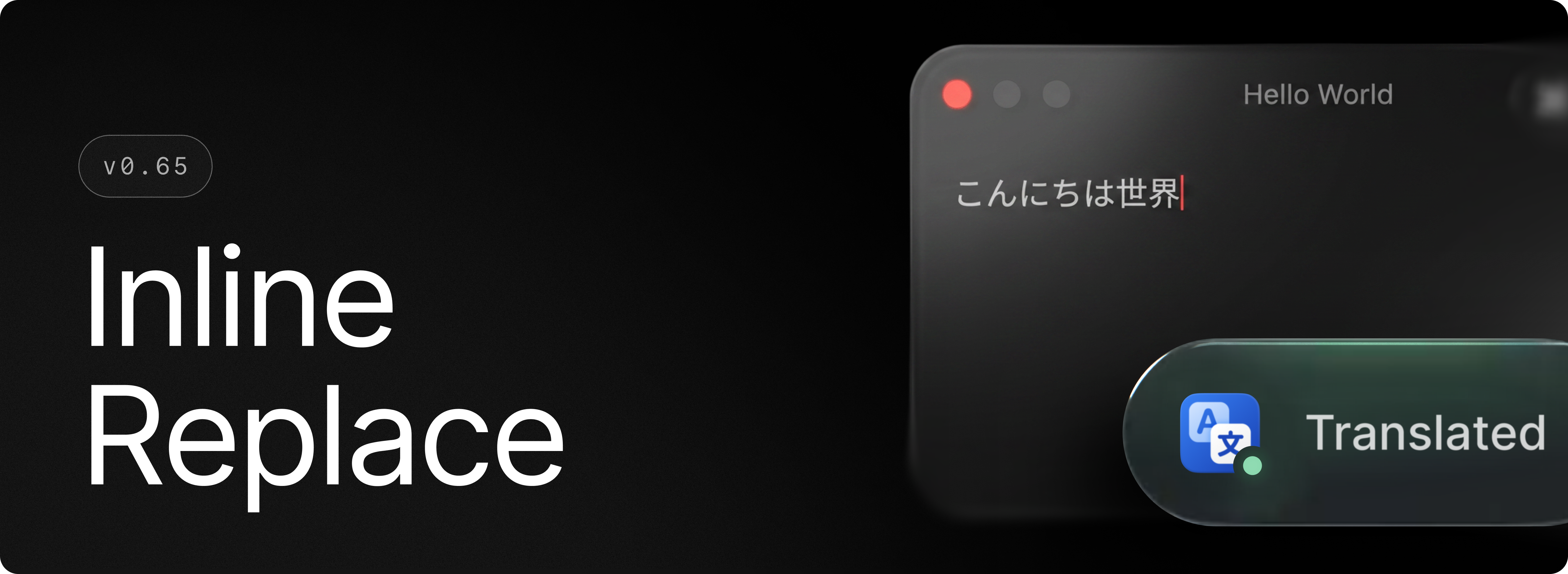
Introducing in-place behavior for custom commands in Raycast. Choose whether to open and run a command in Raycast, or automatically replace selected text with the output. It’s a faster, more flexible workflow for translation and AI-powered commands, built to fit the way you work.

✨ New

  • AI: Custom AI commands now have an Output Behavior setting, so you can choose to open them in Raycast or replace selected text in place
  • Translator: Custom translate commands now have an Output Behavior setting, so you can choose to open them in Raycast or replace selected text in place
  • Manual: New Open Manual and Ask Manual commands
  • Focus: New @raycast-focus AI Extension to manage a focus session or explore past sessions activity

💎 Improvements

  • AI: Removed flashes of incorrectly parsed content during streaming
  • AI: All AI Modes now show their details in model switchers and models not available in the current subscription now lead to the subscription upgrade view
  • AI: Improved retry logic for failed requests
  • AI: Browser extension improvements for fetching the currently active tab
  • AI Chat: Added zoom support for AI content
  • AI Chat: Added rename chat action to action panel
  • AI Chat: Improved task-list rendering
  • Dictation: Using the “Copy to Clipboard” output mode no longer adds transcriptions to Clipboard History
  • Dictation: Allow pasting of comma separated items into vocabulary, accessible via the Vocabulary command or settings
  • Focus: Add support for Brave Origin browser
  • Root Search: Improved search latency when Contacts are included in root search
  • Search Menu Bar Items: Prioritized pinned menu bar items over other items when searching

🐞 Fixes

  • AI Chat: Prevented collapsing/expanding folder when renaming a chat inline
  • AI Chat: Fixed double-click on chat in sidebar not triggering chat rename
  • Apple Shortcuts: Fixed missing Apple Shortcuts and improve fallback when Shortcuts Events privacy permission is missing
  • Clipboard History: Fixed hangs when ingesting data from Universal Clipboard
  • Core: Ensured the Raycast window’s cached position remains within the screen bounds
  • Core: Fixed ⌘+Escape being swallowed by Raycast when ⌘+Tab window is frontmost
  • Core: Fixed hotkey reset after an app updates or is otherwise removed then re-added
  • Dictionary: Fixed regression showing a non-interactive button in the nav
  • Dictionary: Fixed an issue where certain definition results led to an empty detail view
  • File Search: Multiple queries are no longer emitted as you type
  • File Search: While a new search query fetches results, existing results are no longer cleared
  • File Search: “Recent Files” is now more accurate, fixed an issue with incorrect parsing of xattr dates
  • Golden Gate: Fixed corner radius of most windows
  • Root Search: File URLs now correctly resolve filesystem entries if they exist
  • Snippets: Fixed snippet not expanding for some users missing accessibility entitlement in subprocess
  • Snippets: Fixed snippet keyword not replaced in Terminal
  • Snippets: Fixed snippet timeout when the target application is slow to handle paste operation
  • Theme Studio: Fixed color editor UX (sliders not displaying correct colors)
  • AI: Fixed attachment error messages not being surfaced
  • Window Management: Layouts now work correctly with multiple displays
  • Updates: Fixed an issue where updates requiring elevated permissions could fail to install
v0.64June 12, 2026

image

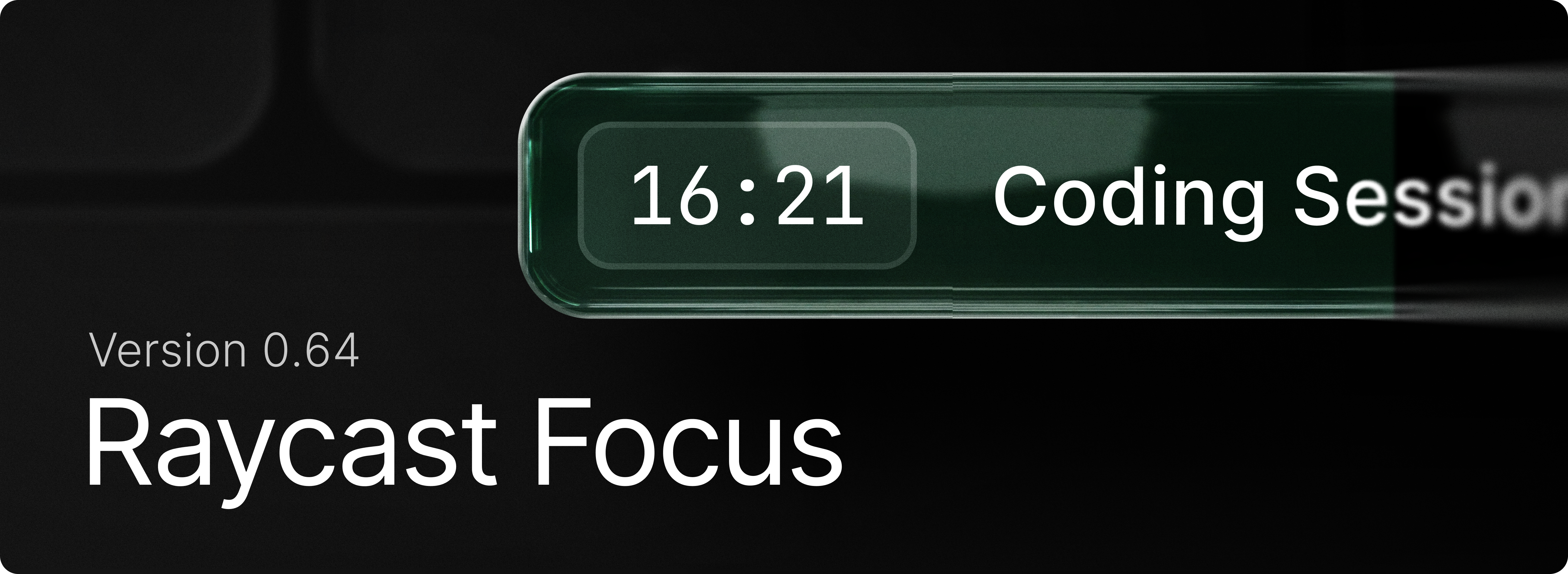
Raycast Focus is back to help you achieve your goals without distractions. Simply use the “Start Focus Session” command to get started. Set a goal, define the duration you want to work on it, and select the apps and websites you want to block.

Learn how to get the most out of the feature with our manual.

✨ New

  • Focus: Begin a session that shuts out distracting apps and websites with Start Focus Session.
  • Focus: Edit Focus Session adjusts the duration or blocked categories while a session is running.
  • Focus: Use Pause Focus Session , Resume Focus Session and Complete Focus Session to control current session.
  • Focus: Toggle Focus Session starts or stops focusing with a single command, useful for a hotkey.
  • Focus: Group the apps and sites that derail you into a reusable set using Create Focus Category, then review or change them with Search Focus Categories.

💎 Improvements

  • AI: Improved usability of Create AI Command view
  • AI: Markdown streaming is more stable with reduced flashes of incorrectly parsed content
  • AI: Tool call permission description is parsed as Markdown, allowing for richer content
  • AI Chat: Improved chat sidebar animation
  • AI Chat: Improved chat sidebar handling of collapsed state and navigation
  • Clipboard History: Better query matching for non-Latin alphabets (e.g. Cyrillic, CJK)
  • Clipboard History: Improved UX of "… and Keep Window Open" actions by delaying the state update so items aren't reordered yet
  • File Search: Paths ending with a slash in Browsing mode no longer display the folder as the top result
  • Quicklinks: Prefer Existing Tabs setting now supports more Chromium and WebKit browsers
  • Search Menu Bar Items: Grouped searched menu bar items into a single section
  • Snippets: Improved snippet expansion reliability and accuracy. Faster expansion when snippets are expanded within Raycast. More accurate {cursor} placeholder placement.
  • System: Add ability to skip confirmation for emptying the trash
  • Core: Improved hotkey conflict detection
  • Core: Hotkey conflict indicators appear in root search, Shortcuts settings
  • Core: Command hotkeys are now unregistered when an extension is disabled
  • Search Menu Items: Added support for disabling specific applications
  • Search Menu Items: Search results are now displayed in a single group to improve discovery
  • Root Search: Contacts now have an Open in Search Contacts primary action

🐞 Fixes

  • AI Chat: Removed flicker when searching through chats in sidebar
  • AI Chat: Made sidebar peek trigger more conservatively to prevent accidental activations
  • AI Chat: Fixed possibility to accidentally trigger sidebar peek while a menu is open
  • Clipboard History: Fixed copying large amount of text from a Raycast action (like Copy Chat) slowing down Clipboard History
  • Core: Fixed the main window appearing on the edge of another screen instead of the screen containing the mouse cursor
  • Dictionary: Fixed font rendering regression
  • Extensions: Fixed markdown in detail views not being selectable
  • Extensions: Fixed an issue where uninstalling an extension wouldn't instantly remove the commands in Root Search
  • File Search: Fixed issues with ignore files not being respected during incremental indexing
  • File Search: Fixed an issue preventing indexed files from being returned as part of the result set
  • File Search: Fixed an issue where we were attempting to preview database files which crashed File Search
  • Root Search: Fixed space key being swallowed during root search loading
  • Script Commands: Fixed AppleScript created with “Create Script Command” not being indexed
  • Settings: Fixed Escape closing the window instead of dismissing an opened alert
  • Settings: Fixed menus showing “Default” value accessory truncating their content
  • Settings: Removed duplicate settings for a few items (quitting apps, etc)
  • Settings: Added missing settings for resetting confirmation warnings (deleting chats, Quicklinks, Snippets, etc)
  • UI: Fixed an issue with open Select breaking some layouts
  • Window Management: Commands now work correctly when Displays have separate Spaces is off
  • Import: Applications in ~/Applications are now imported correctly from v1
  • Import: Added support for various Calendar settings previously missing from v1 import
  • Import: Added support for importing rich text from v1 snippets
v0.63June 4, 2026

image

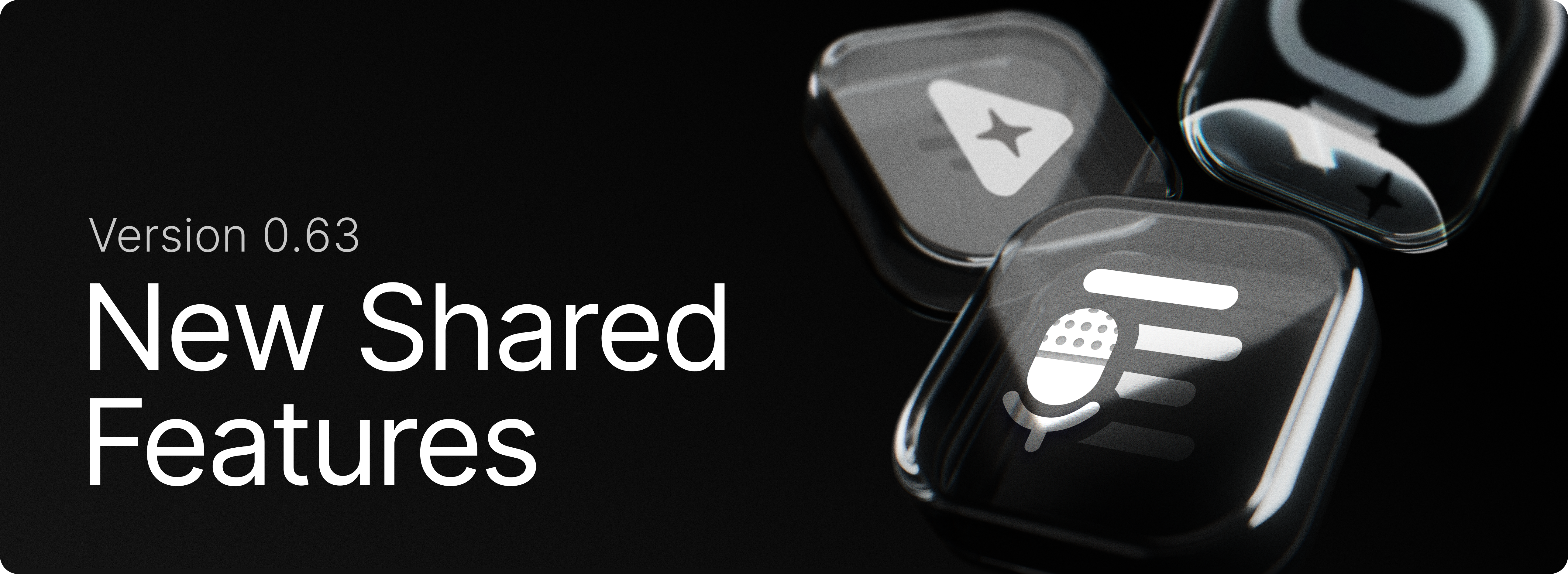
Teams can now share AI Agents, AI Commands, and Dictation Styles across the organization, making it easier to give everyone access to the same setups and work more consistently.

✨ New

  • Clipboard History: Added new setting for “Prefer pasting as plain text”
  • Clipboard History: Copy text from QR code action for images
  • Teams: Share AI Agents across your organization
  • Teams: Share AI Commands with your whole team
  • Teams: Share Dictation Styles with everyone in your organization

💎 Improvements

  • AI Chat: Active chat is always preserved when closing AI Chat while streaming, irrespective of “start new chat” setting
  • Dictation: Improved the startup performance when using dictation, so your dictation responds even faster to pressing the hotkey
  • Hotkeys: Support for standalone navigation keys (Home, Insert, End, Page Up, Page Down)
  • OCR: Improved text recognition for small texts in Search Screenshots and Clipboard History
  • Root Search: Improved non-selected states of special items (calculator, color, etc)
  • Root Search: Improved ranking for previously used search terms

🐞 Fixes

  • AI: Fixed model resetting when changing reasoning effort in certain situations
  • AI: Fixed “Send text to AI” opening a new chat instead of using the currently active one
  • AI Chat: Fixed auto-loading of chats in the “Recent” section not working in some situations
  • AI Chat: Fixed content jumping at the end of AI generation
  • AI Chat: Auto-hide AI Chat toolbar in Full-Screen mode
  • Clipboard History: Fixed an issue where we unnecessarily showed the Paste as… action
  • Clipboard History: Fixed a race condition leading to entries not being recorded for some users
  • Clipboard History: Fixed stale file-based entries that were not removed when their associated file was deleted
  • Contacts: Added caching to improve load performance
  • Core: Fixed an issue where text would sometimes get selected when dragging a scrollbar
  • Extensions: Fixed an issue in required preferences view where app picker would jump when opened
  • File Search: Fixed an issue with infinitely recursive directory trees
  • File Search: We no longer index the contents of .aplibrary, .band, .fcpbundle, .imovielibrary, .logicx, .migratedaperturelibrary, .postlabteam, .pvm, .sparsebundle , .theater, .turf and .tvlibrary bundles
  • Hyper Key: Improved recovery from a stuck Secure Input state that prevents the app from remapping Caps Lock
  • Import: Fixed missing calendar settings when migrating or importing from v1
  • Notes: Fixed issue preventing users from creating a new note with the ⌘N shortcut
  • Quick AI: Fixed Quick AI not expanding the view in compact mode when logged out
  • Root Search: Fixed occasional delay leading to an aliased command no being open with alias + input
  • Root Search: Fixed missing Chinese localization in Apps and System Settings
  • Root Search: Improved ranking for localized apps and settings when using the non-localized name as the search term (e.g. “Journal” for “ジャーナル”)
  • Search Screenshots: Show preview for non downloaded cloud files
  • Snippet Expansion: Fixed snippets not expanding in Secure Inputs
  • Translator: Fixed translation not working in root search
  • Typing Practice: Fixed an issue where starting a new practice from the results view would restart the current one instead
  • Typing Practice: Fixed layout breaking with large scores
v0.62June 3, 2026

image

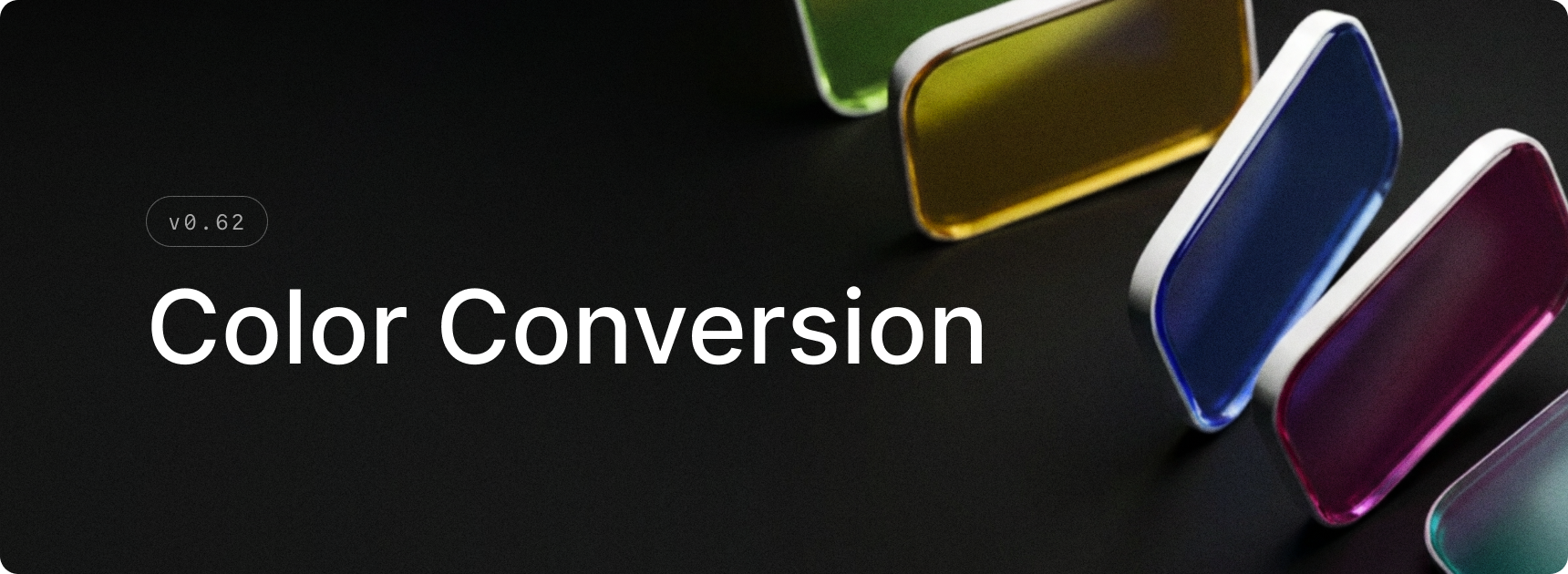
Color conversion is now in Raycast v2! Type any supported color value in root search to get an instant visual preview, and copy it in the format you need. Supports hexrgbhsloklch, and more.

✨ New

  • Calculator: Enable color conversion from Calculator settings to start surfacing color results in root search
  • Calculator: Type or paste any color value in root search to see an instant preview
  • Calculator: Copy a converted color in any format — hex, rgb, hsl, modern color spaces, plus NSColor/UIColor for Swift
  • AI Settings: Added ability to globally disable AI models to Settings > AI > Models
  • AI Chat: Added File Search extension for querying indexed files
  • File Search: Added “Open In Finder” command when entering a file path in the root search

💎 Improvements

  • Dictation: The hotkey for accepting/cancelling dictation can now be configured to require the primary modifier key
  • Notes: Add zoom support for Notes window
  • Emoji Picker & Search Screenshots: Add zoom support to customize grid size
  • Calendar: Add missing Open Link action for events
  • Calendar: Parse “safe links” to get the meeting urls
  • Quicklinks: Improve support for quicklinks to Raycast deeplinks
  • Store: Added support for filtering by “Installed” extensions
  • Search Screenshots: Show preview for offline iCloud images
  • Clipboard: Remove stale clipboard entries

🐞 Fixes

  • AI Chat: Fixed the AI extension alignment
  • Clipboard History: Fix OCR processing for HEIC/HEIF screenshots
  • Core: Improve cold start for built-in commands such as Search Emojis & Symbols, Clipboard History…
  • Core: Recover stuck Secure Input after app switches
  • Core: Activate target application when using the Paste action
  • Core: Fix lag when searching if an extension refresh request times out
  • Contacts: Improve performance when loading large numbers of contacts
  • Dictation: Fix an issue with audio format conversion causing static for some users
  • Dictation: Fix the incorrect model naming convention and missing style application/website count in the Search Styles command
  • Dictation: Fix the context menu on the Dictation Pill not opening the correct screens
  • Notes: Fix key presses targeting previously focused application rather than the Notes window
  • Hotkeys: Fix Raycast hotkey not dismissing Raycast window
  • Root Search: Fix localization in some languages for applications and System Settings
  • Settings: Focus sidebar navigation when the window is opened
  • Snippet Expansion: Fix occasional crash on text field deletion
  • Translator: Show source text in the target panel when the source and target languages are the same
  • Script Commands: Handle ANSI output
  • Core: Avoid duplicate calendar events in root search
  • Core: Improve root search ranking
  • API: Fix getWindowsOnActiveDesktop()
  • Window Management: Fix move-to-previous/next space on macOS 26.5
  • Snippets: Improve expansion reliability in some circumstances
v0.61May 20, 2026

image

Introducing the Quick Fix command. It takes your selected text, fixes spelling and grammar, and pastes back the corrected text. The first time you use the command, a little onboarding guide helps you set a hotkey. Our team likes to use the right Shift key for it.

✨ New

  • AI: New Quick Fix command to quickly fix spelling
  • AI: New settings to configure the default model for each AI feature

💎 Improvements

  • AI Chat: Improved startup and window reveal performance
  • AI Chat: Added line wrapping for code blocks
  • AI Chat: Added native full-screen support for the non-floating AI Chat window
  • Core: Improved text rendering
  • Core: Improved liquid glass controls when the window is blurred
  • Dictation: Added support for dictation in root search
  • Dictation: Improved cancellation behavior
  • Dictation: Added Dia, Helium, Zen, and Orion browser support for Styles
  • Settings: Improved Switch component states/interactions
  • Script Commands: Script command output is now selectable
  • Store: Improved stability of Store results while loading
  • Translate: Use Selected Text as Source now works via root search as well as via hotkey
  • Window Management: Add support for Quick Look panels
  • General: Reduced memory usage for app icons

🐞 Fixes

  • AI Chat: Fixed selecting reasoning effort resetting model
  • AI Chat: Fixed indented markdown rendering
  • AI Chat: Fixed new chats opening blank after triggering an AI Command
  • AI Chat: Fixed drafts not preserving newlines
  • AI Chat: Fixed scrolling to the wrong position after sending a message
  • AI Chat: Fixed tab order in the chat UI
  • AI Chat: Fixed pagination cursor overlap
  • Applications: Use alternate name for Creator Studio apps
  • Calendar: Google Meet meeting URLs now include the calendar account email
  • Core: Prevent default right-click menu inside popovers
  • Core: Allow running several instances of Raycast with different users in the context of Fast User Switching
  • Clipboard History: Fix missing Open With and Show in Finder actions for some images
  • Clipboard History: Improve reliability for restricted user accounts
  • Dictionary: Fixed duplicates in filter panel
  • Dictation: Fixed statistics display for large values
  • Extensions: Fixed menu bar items not using the system appearance
  • File Search: Improved search for files and directories using non-Latin alphabets
  • File Search: Fixed an issue which could cause searches to hang the Raycast UI
  • General: Fix issues using Raycast v2 in multi-user environments
  • Hotkey Recorder: Fixed L⌥ + R⌥ (or any other modifier) not triggering a double tap hotkey ⌥⌥
  • Hotkey Recorder: Fixed ⌥⌥ hotkey triggered when pressing ⌥+Space twice
  • Hotkeys: Fixed an issue which had hotkeys for disabled commands still respond
  • Hotkeys: Fixed hotkey registration when re-enabling a command
  • Hyper Key: Improve reliability after restoring from secure input or lock screen
  • Import: Improved reliability of Snippet keyword registration after import
  • Import: Fix missing open-with application after importing Quicklinks from v1
  • Import: Fix occasional hang when running the v1 migration
  • Menu Bar: Fix crash when toggling Menu Bar commands
  • Onboarding: Tweaked copy of transfer setup to show correct command name
  • Permissions: Improved handling of Calendar and Contacts permissions
  • Permissions: Fixed an issue where Raycast would not open System Settings when requesting access for a denied permission
  • Root Search: Fixed flickering empty state while typing
  • Root Search: Fixed duplicate script commands breaking root search list
  • Root Search: Renamed "Preferences" section to "System Settings"
  • Root Search: Fixed an issue where wrong command ids would show up in HUD after favoriting
  • Settings: Fixed double padding issue in Shortcuts settings view
  • Settings: Fixed scrollbar not updating when expanding/collapsing sections in Shortcuts settings view
  • Settings: Fixed Switch rendering on non-retina displays
  • Updater: Surface more detailed error when the updater fails
  • Window Management: Improved reliability and silenced some spurious warnings
v0.60May 19, 2026

image

The next generation of Raycast is here 🎉 A new foundation, redesigned from the inside out. Today we are transitioning into public beta, and we are excited for everyone to try it out.

The new Raycast Beta installs next to your current Raycast because a few features are still being built. Use both until everything you need is in v2. During onboarding, you'll be able to import your existing Raycast setup so everything feels familiar to you.

Read the full announcement on our blog and you can read about everything new in v2 in our manual.

🐞 Fixes

  • Applications: Use alternate name for Creator Studio apps
  • Calendar: Google Meet meeting URLs now include the calendar account email
  • Clipboard History: Fix missing Open With and Show in Finder actions for some images
  • Clipboard History: Improve reliability for restricted user accounts
  • General: Fix issues using Raycast v2 in multi-user environments
  • HyperKey: Improve reliability after restoring from secure input or lock screen
  • Import: Improved reliability of Snippet keyword registration after import
  • Import: Fix missing open-with application after importing Quicklinks from v1
  • Import: Fix occasional hang when running the v1 migration
  • Menu Bar: Fix crash when toggling Menu Bar commands
  • Permissions: Improved handling of Calendar and Contacts permissions
  • Permissions: Fixed an issue where Raycast would not open System Settings when requesting access for a denied permission
  • Updater: Surface more detailed error when the updater fails
  • Window Management: Improved reliability and silenced some spurious warnings
v0.59May 13, 2026

image

Finally, we built search for Raycast Settings. Quickly find extensions, commands and settings without having to remember where everything is 🎉.

✨ New

  • Onboarding: Experience a brand new onboarding flow as a first time Raycast user, or choose to migrate from the previous version of Raycast as an existing user with the migration flow.
  • Settings Search: Press ⌘F and search for anything - this can be extension, commands, or settings and quickly navigate around to find what you’re looking for.
  • Dictation: Added Push to Talk support for Dictate to Note
  • Dictation: Added Push to Talk support for transcription styles
  • AI Extensions: Added Raycast Notes AI Extension

💎 Improvements

  • AI: Better error handling for remote tools
  • AI Chat: Improved startup performance of AI Chat window
  • AI Settings: Added a dedicated page for models with configurable defaults
  • Dictation: Added support for function keys
  • Dictation: Keyterms now load in AI Chat, Quick AI, and AI Command transcription
  • Dictation: Added an alert when canceling dictation after 15 seconds
  • Dictation: Added faster retry when a dictation failed
  • Dictation: Made cancelation behavior smoother
  • Clipboard History: Improved detection of excluded applications
  • My Schedule: Date formatting now respects the current locale
  • Quicklinks: Added Paste Selected Text as Argument option to insert select text in an argument placeholder when the Quicklink is invoked by hotkey
  • Root Search: Number hotkeys (e.g. ⌘2) are now supported in compact mode too
  • Settings: Quicklinks are now grouped by organization in settings
  • Settings: Menu bar commands are now clearly grouped in extension settings
  • Settings: Improved grouping of custom Window Management commands

🐞 Fixes

  • AI Chat: Fixed composer losing new lines when closing and re-opening AI Chat window
  • AI Chat: Fixed moving to incorrect scroll position sometimes when submitting a new message
  • AI Chat and Quick AI: Fixed an issue that made it difficult to select the first line of code in a multiline code block
  • AI Chat: Fixed an issue with AI Chat showing messages twice in rare scenarios
  • Calendar: improved handling of events from subscribed calendars
  • Calendar: Auto-join alert should not be presented when enabling the feature during an in-progress meeting
  • Core: Fixed a flickering issue of blurred state when first opening any window
  • Core: Fixed Raycast not being notified when upgrading to Pro or Advanced AI
  • Emoji Picker: Fixed Paste and Keep Window Open shortcut
  • Export: AI transcriptions and AI Chat folders added to exporter
  • Import: Fixed import of double-tap hotkeys from v1
  • Import: Improved handling of large rayconfig files when importing from v1
  • Import: Adding missing commands when importing from v1
  • Import: Fixed incorrect import of Script Command search directories from iCloud Drive
  • Hyper Key: Ensure Shift isn’t suppressed when Hyper Key is using another modifier key than Shift (e.g. Right Command)
  • Snippets: Fix inconsistencies between snippets expanded with keywords and snippets pasted from the Search Snippets
  • Script Commands: Fixed passing arguments to silent scripts
  • Script Commands: Fixed passing arguments via deeplinks
  • Script Commands: Immediately close the window when running a silent script
  • Extensions: Fixed an issue where consecutive hotkeys for extensions wouldn’t hide the window
v0.58May 12, 2026

image

💎 Improvements

  • Auto-Quit: Simplified UX of Auto-Quit Applications in settings
  • Clipboard History: Improved color categorization when copying unqualified hex codes from design apps
  • Clipboard History: Improved rendering performance of long unbroken strings in text previews
  • Clipboard History: Improved image entries title generation by adding the image dimensions
  • Dictation: Added support for function keys and single-tap modifiers as hotkeys
  • Root Search: Simplified file browsing UX by automatically moving into File Search

🐞 Fixes

  • Clipboard History: Fixed an issue where some empty entries could be created
  • Clipboard History: Fixed an issue where copying a frame as PNG from Figma would not display the image entry correctly
  • Clipboard History: Fixed an issue where pasting an image into Claude Code in Ghostty only pasted “v”
  • Clipboard History: Fixed an issue where Automatic Text Recognition (OCR) failed on some images, preventing them from being found through their text content
  • Core: Fixed many internal extensions bypassing Raycast clipboard when copying to clipboard
  • Menu Bar Extensions: Fixed 100% CPU usage in some conditions where menu bar extensions are visible
  • Notes: Fixed a regression where the theme background was doubled, thus creating stronger coloring
  • Window Capture: Fixed Window Capture command capturing only the sheet instead of the full window when a sheet is open
v0.57May 8, 2026

image

Dictation brings fast, accurate voice-to-text to Raycast on Mac. Press your hotkey, speak naturally, and your words land in the active app as clean, formatted text, with filler words removed and punctuation, capitalisation, and grammar handled automatically. The Dictation Pill floats above your active app with a live waveform, and every transcription is saved to Dictation History for later.

We didn’t stop there. Styles shape your text for different contexts, whether it’s a Slack one-liner, a polished email, or any format you define. Auto Styling picks the right one for the app you’re in. Custom Instructions, Vocabulary, and App Context fine-tune accuracy around your spelling, names, and jargon.

✨ New

  • Dictation: Press a hotkey, speak naturally, and Raycast pastes clean, formatted text into any app, with Styles, custom vocabulary, and Dictation History built in
  • Bring Your Own Key: Connect your own API key from Anthropic, Google, or OpenAI to use Raycast's AI features without a Pro subscription
  • AI Model Picker Details: The model picker now has a beautiful new detail panel for checking the speed, intelligence, context window, and abilities of the selected model
  • Quicklinks: Added ability to create a Quicklink from a URL typed in Root Search
  • Settings: There is now a new Launcher page where you can customise your Root Search and manage your fallback commands

💎 Improvements

  • Core: Enhanced paste actions throughout the app to show the receiving (frontmost) app name/icon
  • Extensions: Improved affordance of tag picker component
  • Import: Add support for importing AI extension custom instructions
  • Import: Added a progress toast when importing from the Welcome view
  • Import: Improved UX when an incorrect password is entered
  • Shortcuts: The Apple 🌐 (Fn) key can now be used as a single-tap hotkey
  • Translate: Dictation is now supported in the Translator

🐞 Fixes

  • AI Chat: Deleting all chats in AI Chat no longer deletes pinned chats
  • AI Commands: Fixed the deeplink for AI Commands
  • AI Models: Fixed the models list not updating in certain cases
  • AI Models: Fixed an issue where the list sometimes wouldn’t scroll to the selected model
  • Clipboard History: Fixed an issue when items would sometimes overlap after deleting items quickly
  • Clipboard History: Fixed an issue where it was possible to navigate the list with arrow keys whilst renaming the entry in the Action Panel
  • Core: Fixed Copy Deeplink action not adding an entry to the clipboard history
  • Core: Ensured move favorite / move pinned actions use the same shortcuts
  • Core: Fixed scroll fade being a bit weak in some cases
  • Core: Fixed an issue where menus scrolling to the center to reveal selected item would be slightly off-center
  • Core: Fixed an issue where sometimes dialogs would lose their background
  • Dictionary: Fixed blurry Dictionary.app icon in empty state
  • Hotkey Recorder: Fixed an issue which sometimes recorded Esc instead of dismissing the recorder
  • Hotkeys: Fixed directional modifier hotkeys preventing using the mirror modifier. For example, defining ⌘right+C was blocking ⌘left+C from being used in other applications.
  • Import: Fixed an issue which could cause popup windows to persist after import
  • Localization: Improved System Settings localization. They can now be found by both English and localized name in Raycast search.
  • Paste Action: Fixed main window reappearing after “Paste and Keep Window Open” action ended.
  • Quicklinks: Fixed icon rendering for file links
  • Root Search: Fixed an issue where Root Search sometimes appeared visually empty after executing a command, or after hiding Raycast and then re-opening
  • Root Search: Fixed an issue where going in/out of compact mode would sometimes result in list items overlapping under the search
  • Snippets: We now respect the Injection Delay setting when injecting snippets
  • Snippets: Fixed a bug where sometimes injection would get stuck, requiring expansion to be toggled off then on to re-enable the injection queue
  • Store: Ensured search results show instantly when cached
  • Translate: Fixed an issue where macOS auto-correct was getting in the way of dismissing the view
  • Window Capture: Fixed padding of main window not being suitable for store submissions
v0.56May 8, 2026

image

Quick AI gets a major refresh in this release, bringing it closer to the AI Chat experience you already know. The redesigned interface feels like a natural sibling of AI Chat, with a multi-line composer at the bottom so you can see and edit longer prompts at a glance. You can also attach files and images, dial in reasoning effort, and use most of what AI Chat offers. Quick AI now handles longer, more involved questions just as well as short ones.

On top of that, AI Extensions, AI Skills, and MCP servers are now available in Quick AI and AI Chat, and they can be loaded automatically based on your request. No more tagging extensions to bring in the right tools.

✨ New

  • AI Extensions: Built-in and third-party extensions are now available in Quick AI and AI Chat
  • AI: Now that AI Extensions are available, we are introducing a way for extensions to be loaded automatically depending on the request. No need to tag AI extensions anymore - but you can do it to force its usage.
  • AI: In addition to AI Extensions, AI Skills can be loaded automatically depending on the request as well. By default, it will look for skills in ~/.config/agents/skills, ~/.agents/skills, ~/.claude/skills , and ~/com.raycast-x/skills but you can specify your own folders in the AI settings.
  • MCP: You can now install MCP servers and use them in Quick AI and AI Chat
  • Quick AI: Got a design refresh which is closer to AI Chat with a composer at the bottom and support for multiline, attachments, and more

💎 Improvements

  • AI Chat: Enable navigation through query history by pressing up and down arrow keys
  • AI Chat and Quick AI: Allow scrolling with page up and page down keys
  • AI Commands: Improved summarize webpage command giving responses that were too short
  • AI Settings: Split AI Settings into multiple sub-views for better organization
  • General: We now better handle international keyboard layouts, both in built-in shortcuts in the Action Panel which are now key-equivalent, as well as for global hotkeys were we now correctly represent the printed character based on the currently active layout
  • Hotkey Recorder: We have improved the UX of the hotkey recorder, so it’s clearer, less error-prone, and also enabled better discovery of its new features (like the types of hotkeys, specifying modifier side or switching to key-equivalent)
  • Performance: Improved cold start latency for the Action Panel and Search Emoji & Symbols
  • Settings: When on a sub-view of a particular setting, a click on the setting in the sidebar navigates back to the parent setting view
  • Window Capture: Increased the padding of the window to make screenshots look more airy
  • Quicklinks: Added Open With… and Show in Finder actions
  • Snippets: You can now search for snippets by keyword
  • Import: Added support for importing local (development) extensions during migration
  • Import: Improved handling of ad-hoc/untitled AI Commands

🐞 Fixes

  • AI Chat: Fixed enter and esc keys getting swallowed in certain cases after a suggestion menu was open
  • AI Chat: Fixed viewing an archived chat implicitly unarchiving it
  • AI Chat: Fix sidebar loading and unread indicators not being visible on hover
  • Clipboard History: Fixed missing image thumbnails
  • Import: Fixed handling of rayconfig files opened from the Finder
  • Import: Fixed incorrect mapping of Dictate Text hotkey to Quick AI
  • Import: Fixed import of custom Window Management command settings
  • Import: Fixed import of built-in AI Command settings
  • Export: Fixed a crash when setting the scheduled export period to 1 month
  • Misc: Hide traffic light buttons from the launcher window
  • Settings: The Prefer Existing Tabs quicklinks setting is now hidden if available
  • Settings: Fixed Send Feedback action